

For this post to make any sense, I'm going to have to roll back the clock three years. Three years ago, I created my first hard disk mirror.
V eracrypt is and has always been an ideal encryption utility for me. I have many personal projects in coding that I would not want leaked should my PC ever be stolen. But its use case is not without setbacks and dilemmas.
Roughly three years ago, I faced my first potential data loss. At the time, I had ONE 16TB disk drive installed with many files archived on it. I cannot accurately describe the actions leading up to it, but at one point the data became inaccessable and the volume would not mount in the VeraCrypt software.
It took me nearly three weeks, but I was careful not to perform any actions that would write any new data or partition tables to the disk; and finally I was able to recover the drives header and access the disk, I was ecstatic at my triumph!
Given the circumstance at that time, I invested in a secondary 16TB hard disk. The idea was simple, clone the existing data to a second drive, to avert any substantial data loss in the future. A sound plan, until today, when I awoke to another "disaster."

Mirroring a drive means anything that happens on Drive A is likely to occur on Drive B. Such as MFT corruption. The issue outlined in this blog post.
This morning, I booted up my PC as normal...
My veracrypt drives are set to auto mount on boot, one after the other. The prompt appeared, and I entered my decryption information. Both drives successfully mounted, but beyond that, is where issues began to appear.
The mount process also instructs to automatically open the drive in folder explorer upon successful mounting of the encrypted drive.
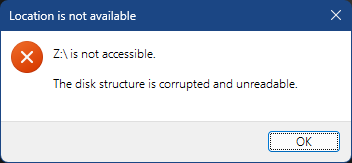
When the first drive mounted, this message appeared:
No biggy, right? I'll just restore from the secondary drive...
Except the secondary drive had the same exact error. Well s**t.
Upon further examination of the event viewer, it appeared the MFT table has become corrupt, on both drives, at the exact same spot.
The drives will mount, but the data is once again inaccessible, and my backup has failed as well. So much for eliminating a single point of failure.
At the time of writing this article, I am still in the process of attempting to recover the MFT or rebuild the boot sectors, and will update if the result is successful.
There is SO MUCH valuable data on this drive that if it takes me ANOTHER three weeks or longer, it will still be worth it.
Wish me luck!
Update: 12/29/2025
I picked up a third drive, in order to avoid formatting either of the previous two drives, hopefully maximizing recovery efforts, in hopes that if it wasn't found on the primary drive, it might show on the secondary drive.
Once all is done (in the future) the third drive will become a tertiary drive separate from the mirror.
It has been slow going, but I have been able to recover a great deal of my data. I started with DMDE, which has revealed a great deal of data on both drives, allowing me to recover a great deal.
DMDE did not reveal all of the files, so I will also use DiskGenius and MiniTool as well to see what else those other software and their scan methods can reveal.
While I wait for the results from the other softwares, I have several thousand files already recovered to sweep through and organize. Thankfully, I had an excel spreadsheet of every file that I ever stored on the drives.